
Translate product values
Once your tables are translated, translate the values of each product with Shopify’s Translate & Adapt app or any app compatible with Shopify translations.
Before you start
- Install a translation app compatible with Shopify’s native translation system. We recommend Translate & Adapt, Shopify’s free official app.
- Publish at least two languages on your store.
- Translate your tables first.
Which values need translating?
Only text values need a translation: single-line and multi-line text, links… Numbers, dimensions, weights, dates, colors and true/false values are displayed the same way in every language. Values from product information (like the category) and from product options are translated with the rest of your product.
Leave identical values empty
If a value is the same in every language (a model number, a brand name), leave its translation empty: Shopify automatically displays the original value.
Translate the values of a product
Open the product in the app
In Products, click the product, then click Localize at the top of the page. The button appears when Translate & Adapt is installed and your store has several languages. If you use another translation app, open the product directly in that app.
IMAGE A INSERERLocalize button on a product page
The top of a product page in the app, with the “View product” and “Localize” buttons.
Find the metafields section
Translate & Adapt opens on the product. Scroll to the Metafields section. Values managed in Specs & Compare are stored in metafields whose namespace starts with
sc_attributes.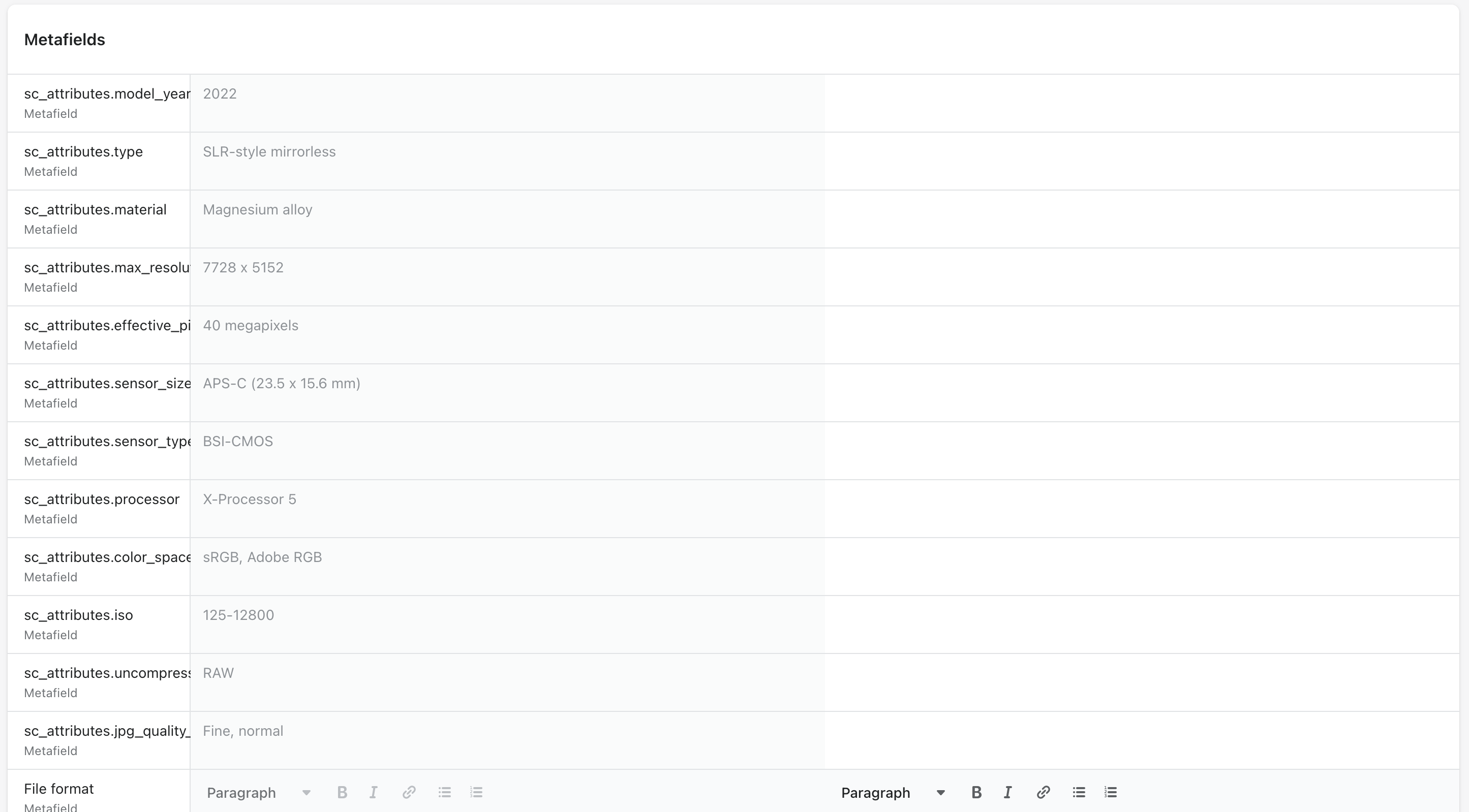
Translate and save
Enter the translations, save, and repeat for other languages. Connected metafields you created yourself appear in the same section, with their own namespace.
Only translate what you know
You’ll see metafields created by other apps in the same list. Don’t edit metafields you don’t recognize, as this could break those apps. All metafields managed by Specs & Compare start with sc_.