
Choose products to compare
Comparison tables compare the product of the page with products you choose. Select them once in the app, and every comparison table on that product page uses them.
Compare with
- In the app, open Products and click the main product — usually the product whose page will display the comparison table.
- In the Compare with card, search or Browse products and select up to 20 products.
- Drag products to change their order in the table.
- Click Save.
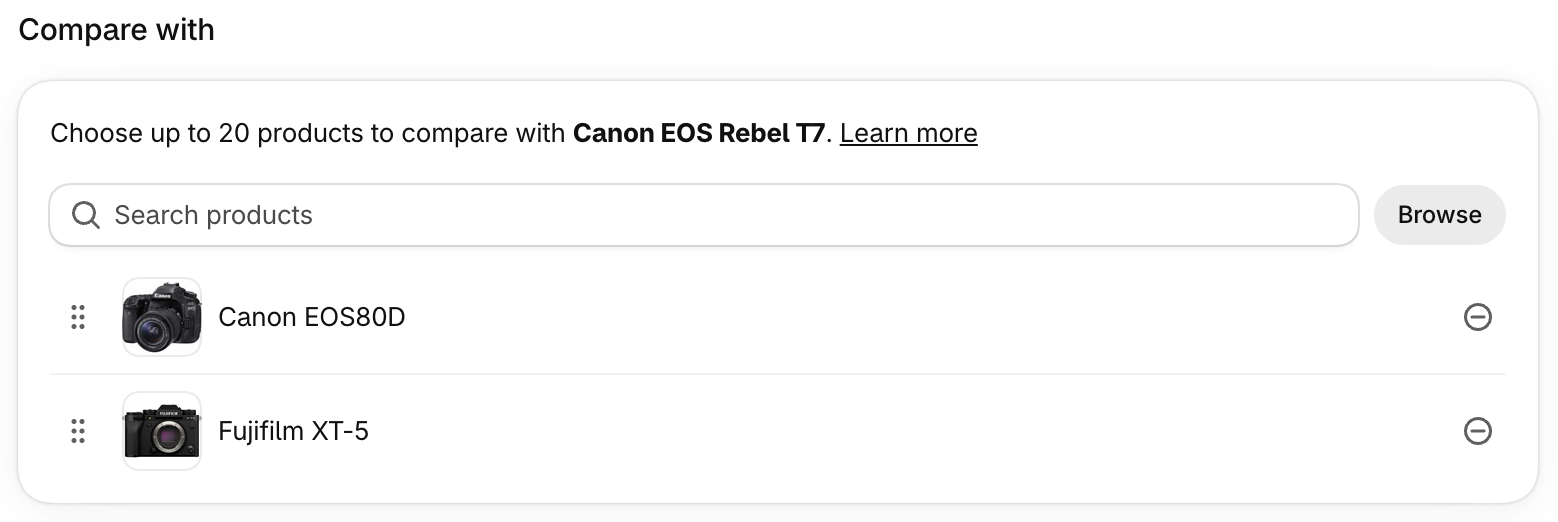
Then add a comparison table block to your product template to display it.
Keep comparisons short
Even though you can select up to 20 products, 3 or 4 is usually best. Long comparisons force customers to scroll sideways and slow down their decision. Choose products that customers really hesitate between — comparing a $10 product with a $1,000 one rarely helps.
Other ways to pick products
- In the theme editor — the comparison table block has its own Compare with setting. When filled in, it replaces the products chosen in the app for that block. It is handy for landing pages.
- Shopify related products — turn on Fallback to related products in the block to automatically compare products recommended by Shopify when you haven’t selected any. Learn more.
Variant comparison Pro plan
A variant comparison table compares variants of the same product — for example the 128 GB, 256 GB and 512 GB versions of a phone. It’s useful when variants have different prices, weights or per-variant specifications.
- Open the product in Products. The Comparable variants card appears for products with more than one variant. On the Starter plan, it shows a link to upgrade instead.
- Select up to 20 variants and reorder them.
- Click Save.
Then add the variant comparison table block to your product template.
It isn’t possible to compare variants of different products in a variant comparison table. To let customers pick a variant for each product of a regular comparison table, enable the variant selector.