
DocsProducts
Downloadable files (PDF)
Let customers download user guides, specification sheets or certificates straight from the specification table.
Add a file attribute
- Open your specification table and click Add attribute.
- Choose the File (PDF, specification sheet, etc.) type, give it a name such as “User guide”, and save the table.
- In Products, open each product and click Select file. Shopify’s file picker opens: upload a new file, or pick one already in your store’s files.
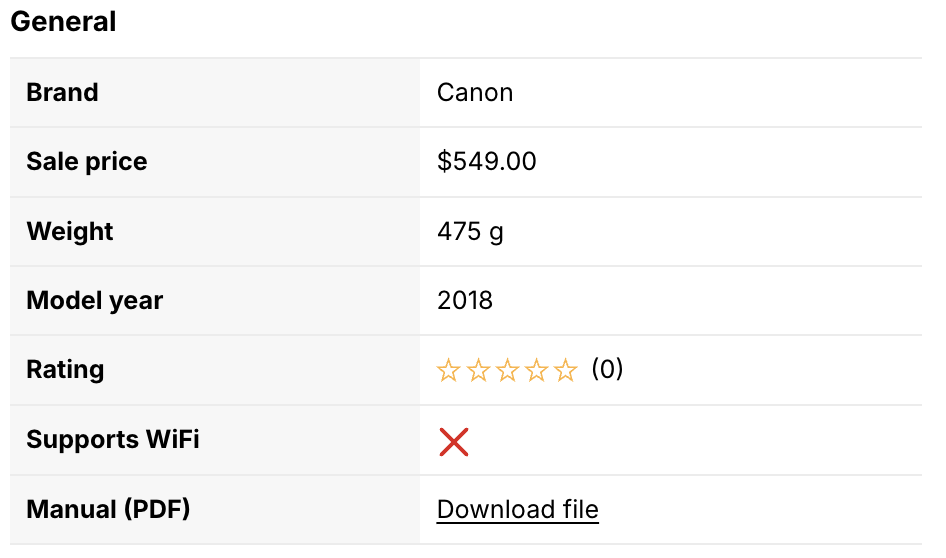
On your store, the table shows a Download file link:
Where files are stored
Files are stored in Content › Files in your Shopify admin — never on our servers. Shopify’s file limits apply: PDFs can’t exceed 20 MB. Only documents can be selected: images and videos are not accepted in this attribute.
The link text is translated in all storefront languages supported by the app, but it can’t be changed.
Reuse the same file for several products
If several products share the same PDF — a warranty, a certificate, a common user guide — upload it once, then pick it in Shopify’s file picker for each product. The file is stored only once in Content › Files, which keeps your files tidy.