Automatic unit conversion
Show centimeters to European shoppers and inches to American shoppers, from a single value. The app converts dimensions and weights automatically based on the customer’s country.
How it works
Most countries use the metric system, while a few — like the United States — use the imperial system. Values in an unfamiliar system are hard to picture.
When conversion is enabled on an attribute, the app looks at the customer’s country and converts the value only if that country uses a different system. Converted values appear in specification tables and comparison tables.
Supported attributes
| Attribute | Supported |
|---|---|
| Dimension (managed in the app) | ✓ |
| Weight (managed in the app) | ✓ |
| Weight (product information) | ✓ |
| Volume | — |
| Metafield references | — |
Enable unit conversion
Set up markets
The app uses Shopify Markets to know the customer’s country. Create a market for each country or region where you want a localized experience — for example one for the United States and one for Germany. If you only have one market, every customer is assigned to it and nothing can be converted. Learn more about managing markets.
Turn on conversion for each attribute
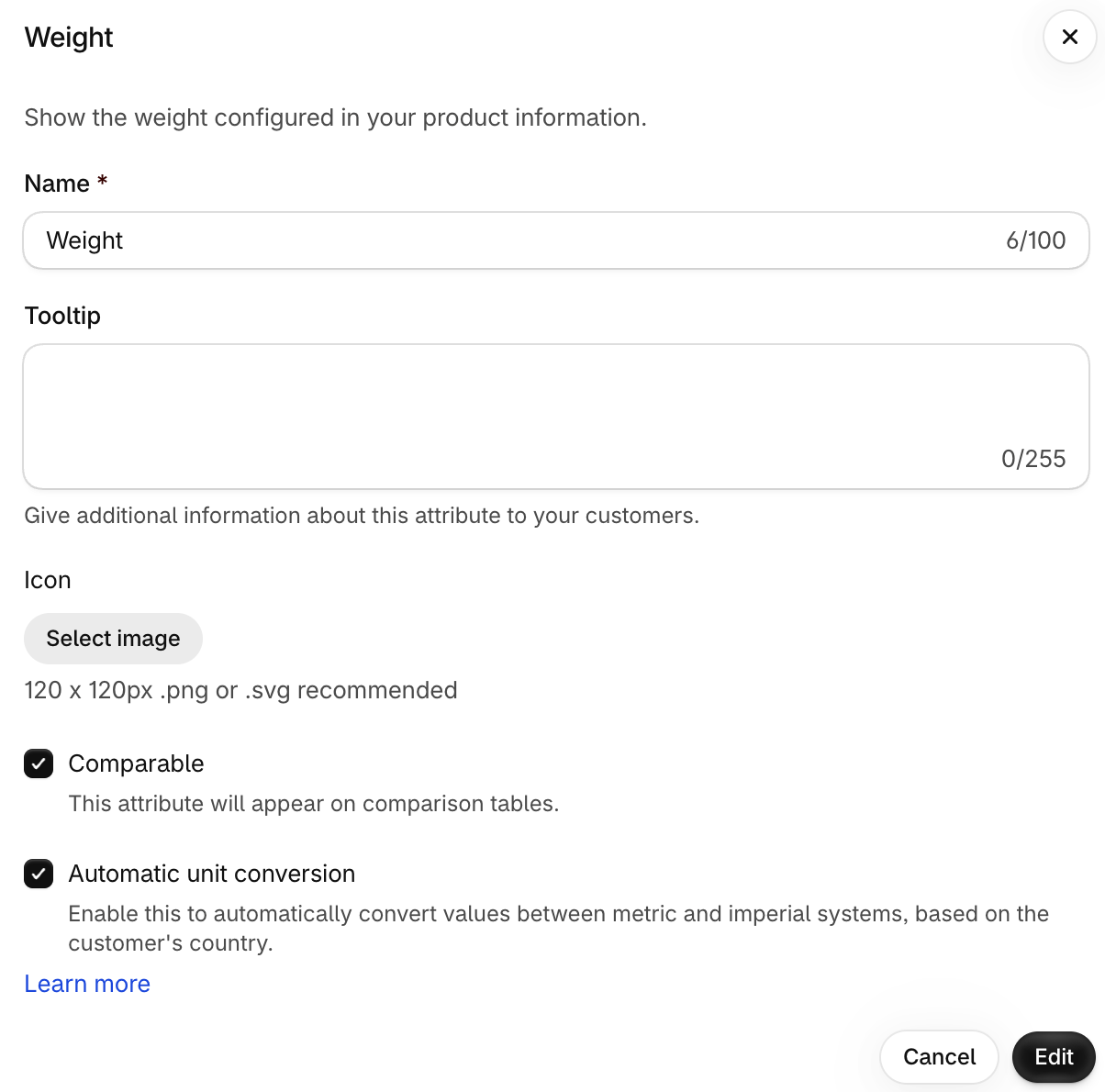
Open the specification table, edit a supported attribute and turn on Automatic unit conversion. It is off by default.
Is it the right choice for this attribute?
Some values are traditionally expressed in one system everywhere. TV screen sizes, for instance, are given in inches even in metric countries. Only enable conversion where it helps.
Conversion examples
The app picks a unit that is easy to read:
| Original value | Customer in a… | Displayed as |
|---|---|---|
| 10 in | Metric country | 25.4 cm |
| 50 ft | Metric country | 15.24 m |
| 1 ft | Metric country | 30.48 cm |
| 0.5 yd | Metric country | 45.72 cm |
| 100 g | Imperial country | 3.52 oz |
| 300 g | Imperial country | 0.66 lb |
| 4 lb | Metric country | 1.81 kg |
| 0.6 lb | Metric country | 0.27 kg |
For weights, values under 250 g are shown in ounces, and larger values in pounds.
Rounding
Converted values are rounded, so they may be slightly approximate, and you can’t choose the final unit. If you need exact control, turn conversion off and translate the values manually for each market with Shopify’s Translate & Adapt app.