DocsDynamic comparison
Product pagesPro
Customers also decide on product pages. Add the “Add to compare” block next to the buy buttons so they can add the product to their comparison.
Pro plan feature
Dynamic comparison is available on the Pro plan.
Add the block
- Make sure the Dynamic compare app embed is enabled. Learn how.
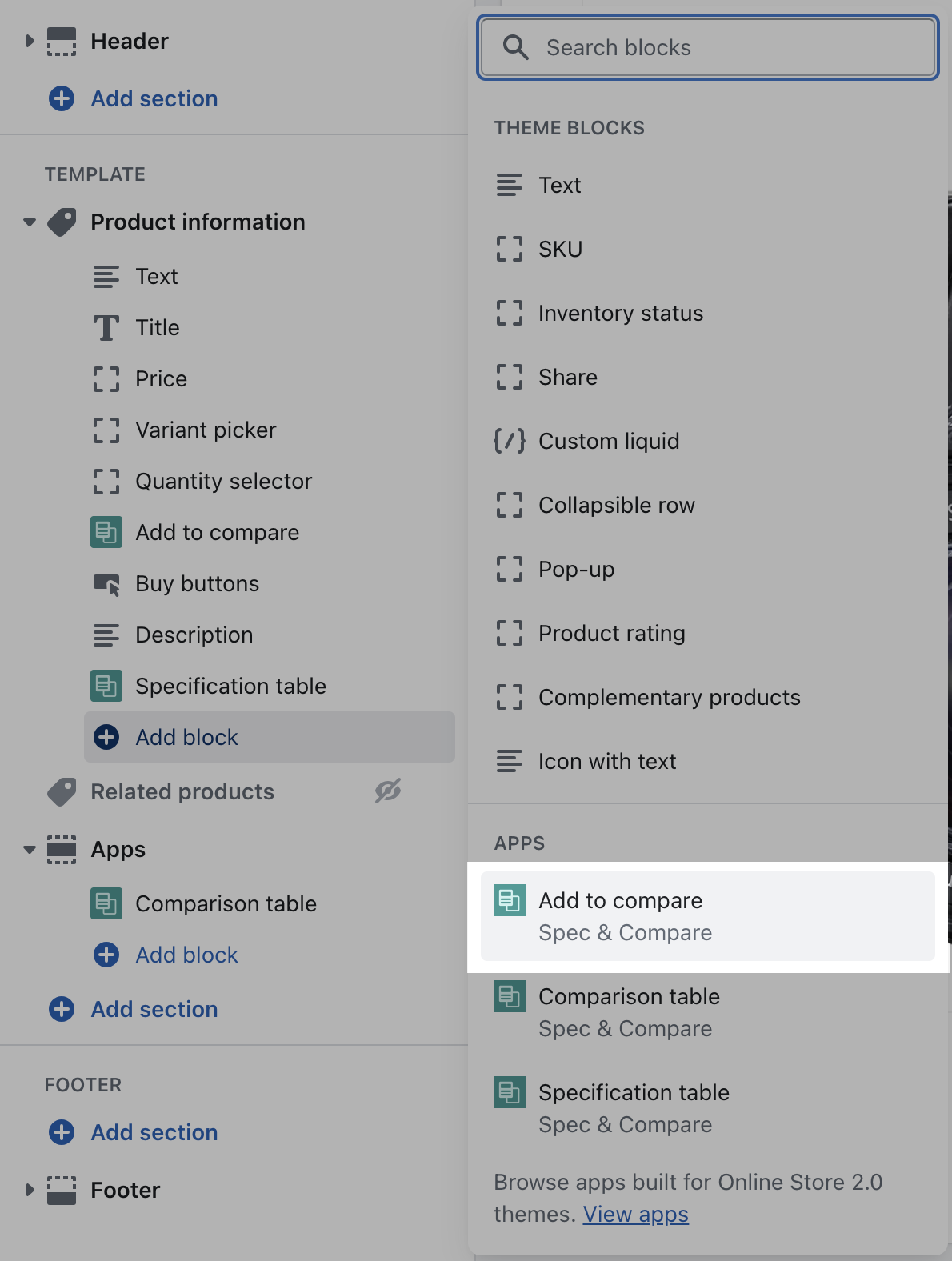
- In the theme editor, open your product template.
- In the main product section, click Add block › Apps › Add to compare.
- Drag the block to the desired position — for example right below the buy buttons — and click Save.
Settings
Product
Filled in automatically on product pages.
Vertical marginDefault: 0 px
Space above and below the checkbox.
Font sizeDefault: 15 px
Text size of the label (11 to 24 px).
The button isn’t displayed for products without a specification table. In the theme editor, a message tells you when the previewed product has no table assigned.